Graphic Creation
Shapes:
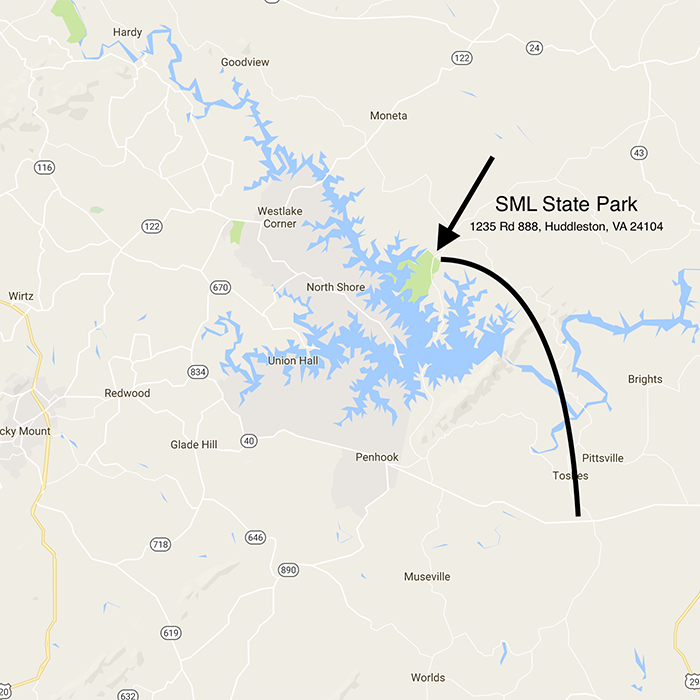
Task: Using the shape and drawing tools create a simple map of a location or to a location. Make sure the map is not larger than 700px by 700px. Save the image in a proper web graphics format.
Response: I created a map showing the location of Smith Mountain Lake State Park. I used a google map image as the background and used simple shape and drawing tools to highlight the location of the park. I saved the PSD file as a PNG for use on the web.
Buttons:
Task: Using the drawing tools create a set of identical buttons for: HOME, CONTACT, PRODUCTS, SERVICES, TRAINING. Save the buttons in appropriate web format (hint: not likely JPG). Make sure they are appropriate size and design for a typical website.
Response: Using the drawing tools available in Photoshop, I created 5 identical buttons that can be used for navigation on a website. I saved these 5 buttons on a single PSD and then saved it all as a single PNG which I am displaying below. Each individual button can be sliced individually if needed.

Logo:
Task: Using the drawing tools, create a Logo for a company, school, etc. Save the logo in an appropriate web format.
Response: I decided to create a new logo for the upcoming project 1 assignment where we’ll create a professional website for a company. I found a dock building company located at Smith Mountain Lake and the logo below will be used on the new site.